1 Ultimate Free Twitch GIF Compressor: Under 1MB
Drop frames, reduce colors, and instantly shrink your animated emotes to fit under the strict Twitch file size limits without losing visual quality.
GIF Compressor
Shrink animated emotes to fit under the 1MB limit.
Why You Need a Specialized Twitch GIF Compressor
Adding animated emotes to your live stream channel is one of the most effective ways to boost viewer engagement, incentivize subscriptions, and create a vibrant chat culture. However, every new streamer quickly runs into a massive roadblock: the dreaded "File Size Exceeds 1MB" error message. This is exactly where our dedicated Twitch GIF Compressor becomes an absolute necessity for your creator toolkit.
Unlike static PNG files, which are inherently lightweight, animated GIFs are notoriously inefficient. The legacy GIF format stores every single frame of animation as a completely separate, uncompressed image layer. If you have a smooth, 60 FPS animation that lasts for three seconds, the file size will easily explode to 5MB or even 10MB. To upload it, you absolutely must use a Twitch GIF Compressor to intelligently strip out redundant data without destroying the animation.
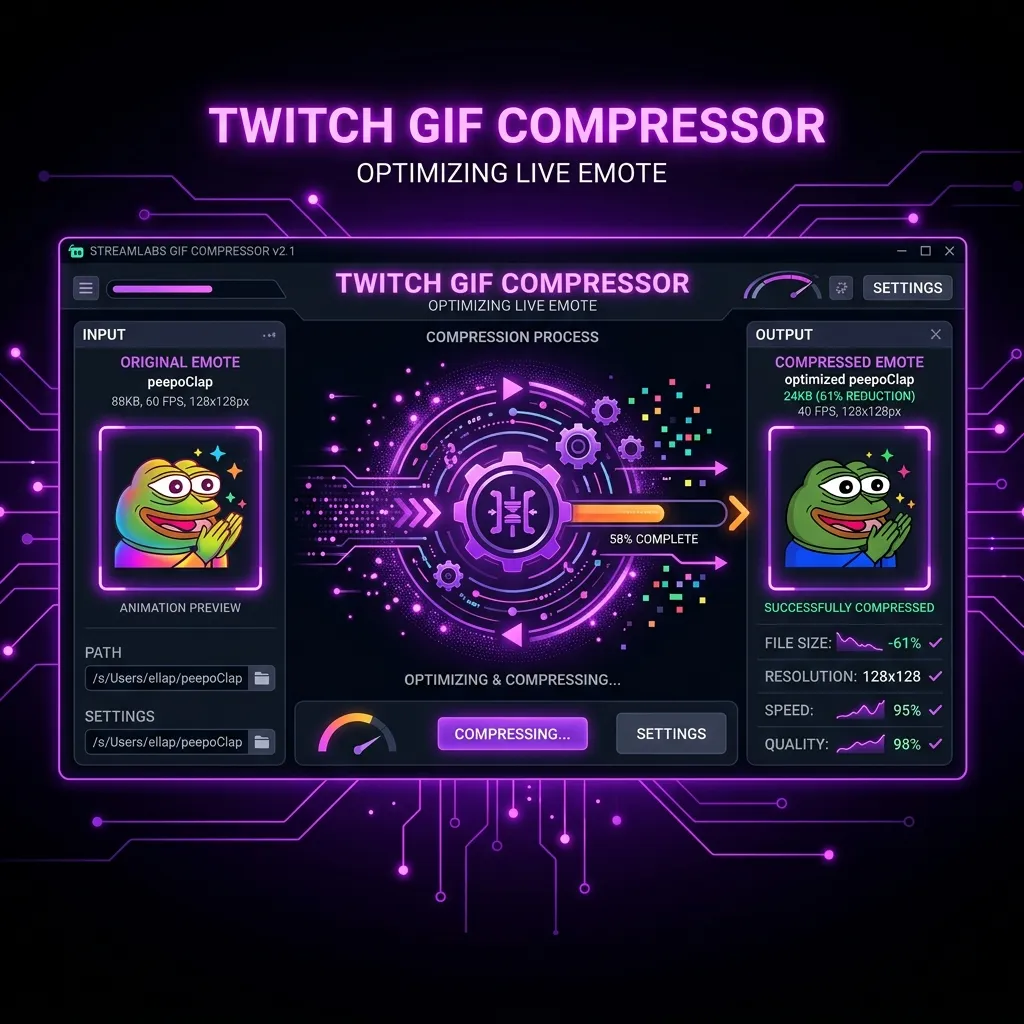
Our entirely free, browser-based Twitch GIF Compressor solves this incredibly frustrating problem instantly. We provide granular control over the three most important compression metrics: total pixel dimension, active color palette size, and frame rate. This allows you to squeeze massive animations into the strict 1MB Twitch ceiling in a matter of milliseconds.
The 1MB Twitch Animated Emote Limit
Twitch imposes a very strict 1MB maximum file size limit for all animated emote uploads. This is not arbitrary; it is a critical engineering constraint. In a fast-moving chat room with 5,000 viewers spamming animated emotes simultaneously, the platform must serve gigabytes of data every second. If they allowed 10MB emotes, the chat would literally crash viewers' browsers. You must use a Twitch GIF Compressor to respect this hard limit.
Many streamers try to solve this by rendering their animations at incredibly tiny resolutions in Premiere Pro or After Effects. However, this often results in a blurry, unreadable mess. A better workflow is to render at a high resolution and then use a specialized Twitch GIF Compressor to optimize the color palette. This retains the sharp edges while drastically lowering the total kilobyte count.
By mastering a Twitch GIF Compressor, you guarantee that your high-effort animations can actually be uploaded, approved, and spammed by your loyal community members without causing massive network lag.
How Our Free Twitch GIF Compressor Works
Our Twitch GIF Compressor operates completely entirely within your local web browser using advanced WebAssembly. This means your massive, uncompressed animation files are never uploaded to a remote server. You don't have to wait in a 10-minute queue, and your private subscriber art remains 100% secure on your local hard drive.
The software parses the binary data of your original GIF, unpacks all of the individual frames, and applies mathematical reductions based on your slider settings. It then instantly re-encodes the file back into an optimized GIF container, allowing you to visually preview the exact file size output in real-time. This real-time feedback loop makes our Twitch GIF Compressor the most powerful optimization tool available on the modern internet.
The Three Pillars of GIF Compression
To use a Twitch GIF Compressor like a professional technical artist, you need to understand the three core variables that dictate the final file size of any animated graphic. You can aggressively optimize one, or slightly optimize all three, to hit your target.
1. Resolution Downscaling
The physical pixel dimensions (width x height) are the largest contributor to file weight. If you have a 500x500 animated GIF, it contains 250,000 pixels per frame. If your animation has 30 frames, that's 7.5 million pixels the file has to store. Our Twitch GIF Compressor allows you to instantly scale the resolution down.
Scaling down to 112x112 pixels using our Twitch GIF Compressor reduces the per-frame pixel count from 250,000 to just 12,544. This is an absolutely massive 95% reduction in mathematical data, instantly dropping a 10MB file well below the 1MB ceiling without touching the colors or frame rate.
2. Color Palette Reduction
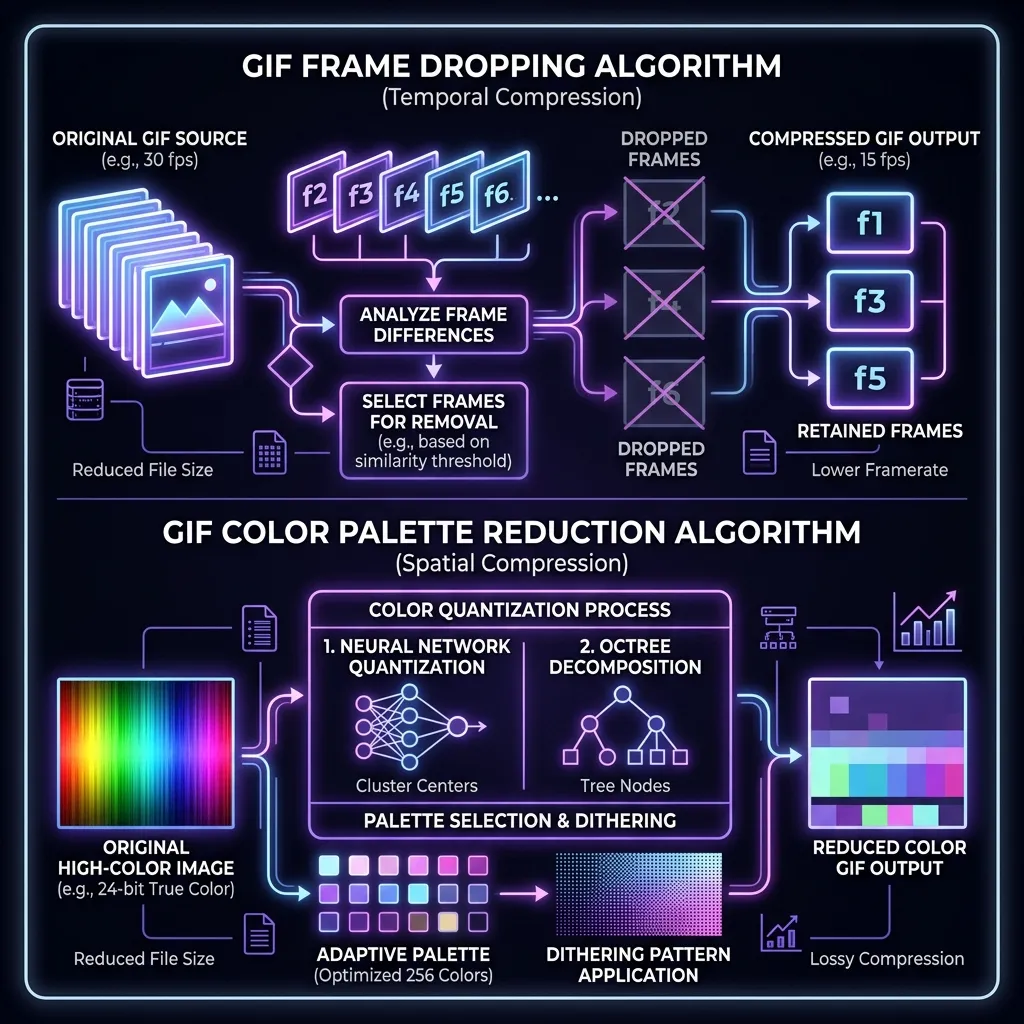
The standard GIF format uses an 8-bit color index, meaning it can store a maximum of 256 unique colors. While 256 sounds small compared to modern JPEGs, storing data for 256 specific hexadecimal values across every single frame takes up significant memory. Our Twitch GIF Compressor allows you to manually crush the color palette down to 128, 64, or even 32 colors.
For most cartoon-style emotes with solid fill colors and thick black outlines, reducing the palette to 64 colors via the Twitch GIF Compressor produces a visually identical result while drastically slashing the file size. However, if your emote relies on smooth gradients, crushing the palette will introduce "banding."
3. Aggressive Frame Dropping
If your animation is incredibly smooth (e.g., 30 or 60 Frames Per Second), you are storing a ridiculous amount of redundant data. Emotes in chat are incredibly tiny, and viewers' eyes cannot perceive the difference between a 30 FPS emote and a 15 FPS emote. Our Twitch GIF Compressor features a highly advanced "Drop Frames" algorithm.
When activated, the Twitch GIF Compressor mathematically deletes every other frame in the animation sequence, and doubles the display time of the remaining frames to keep the animation speed identical. This literally cuts the file size in half instantly, making it the most powerful tool for squeezing under the 1MB limit.
The Technical Science Behind Our Twitch GIF Compressor Algorithm
Not all image utilities are built the same. When you use massive desktop video editors, they are not optimized for the legacy, highly specific quirks of the 1987 GIF format. Our Twitch GIF Compressor completely automates the complex technical encoding steps by deploying algorithms specifically tuned for transparent platform emotes.
Dithering vs Flat Reduction
When you use the Twitch GIF Compressor to reduce the color palette from 256 to 64, the software has to decide what to do with the missing 192 colors. It can either "dither" the image (scattering remaining colors in a checkerboard pattern to simulate a gradient) or apply a "flat reduction" (forcing the pixel to the nearest exact available color).
For streaming emotes, dithering is almost always a mistake because the checkerboard pattern creates massive file size bloat. Our Twitch GIF Compressor is optimized for flat, nearest-neighbor color reduction. This creates clean, solid blocks of color that perfectly compress under the strict 1MB limits.
Client-Side WebAssembly Processing
Historically, compressing GIFs required uploading a 20MB file to a shady remote server, waiting 5 minutes in a queue, and downloading a zip file. By running the Twitch GIF Compressor entirely via WebAssembly, we achieve instantaneous, sub-second processing times using your local CPU.
You adjust the sliders, and the Twitch GIF Compressor instantly recalculates the entire animation, updating the estimated file size live on your screen. This architectural decision makes our tool the fastest, safest, and most reliable utility available to modern creators.
Cross-Platform Optimization: Discord and Kick
While it is branded as a Twitch GIF Compressor, the exact same underlying technology is absolutely essential if you manage a community on Discord or stream on Kick. In fact, these other platforms have even stricter requirements that require aggressive compression.
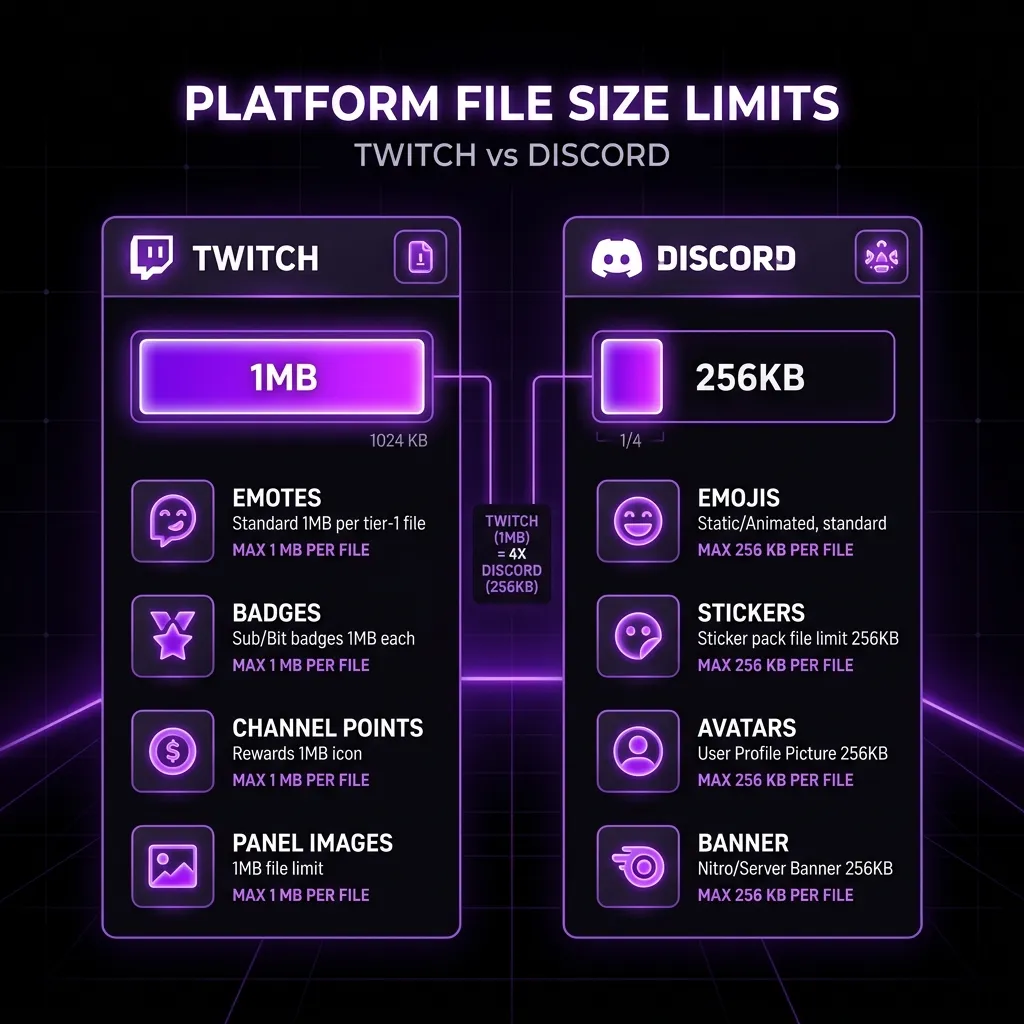
The Extreme Discord 256KB Limit
If you think the 1MB Twitch limit is difficult, Discord requires all animated emojis to be under a staggering 256KB. This is one-quarter of the size allowed by Twitch. Hitting this target is virtually impossible without using a highly aggressive Twitch GIF Compressor.
To hit the 256KB Discord limit using the Twitch GIF Compressor, you must employ all three pillars simultaneously: scale the resolution down to exactly 128x128 pixels, crush the color palette down to 32 or 64 colors, and drop half of the frames. Only through this combined effort will your animated meme clear the upload checker.
Kick Emote Limits
Kick also enforces a 1MB limit for their emotes. Furthermore, Kick prefers a 500x500 pixel base resolution. Attempting to fit a 500x500 animated GIF under 1MB is incredibly challenging. By heavily utilizing the color palette reduction slider on the Twitch GIF Compressor, you can maintain the large 500x500 dimension while successfully lowering the overall kilobyte count to appease the Kick dashboard.
How to Brand Your Stream Using Animated Emotes
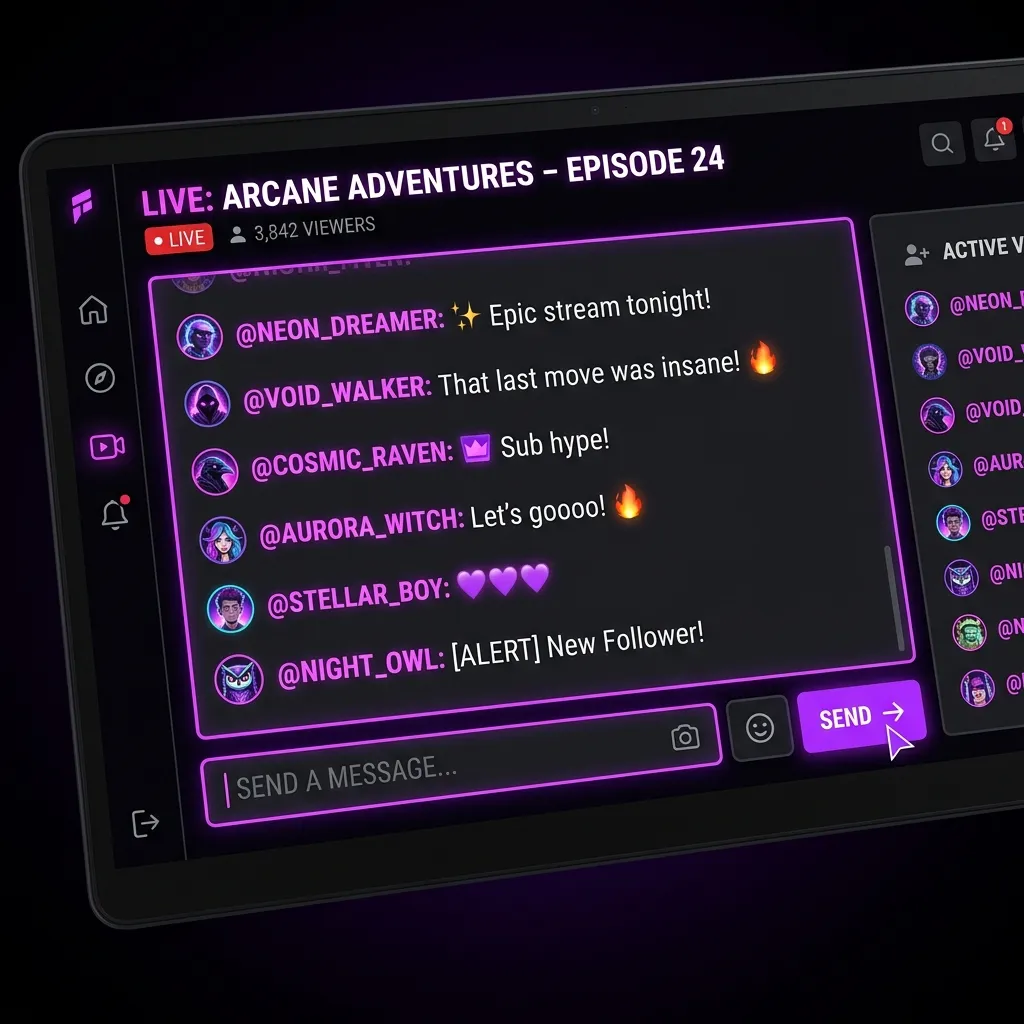
Animated emotes are premium rewards. On Twitch, they are heavily restricted to higher-tier subscribers or unlocked via channel point rewards. Utilizing a Twitch GIF Compressor effectively ensures that these high-value, exclusive rewards look incredibly premium, highly professional, and distinctly branded, never blurry or broken.
The "Rave" Color Shifting Meta
One of the most popular emote metas is the "Rave" or "RGB" emote, where a static logo flashes through neon rainbow colors. These are incredibly bloated files because every single frame introduces a completely new set of colors.
To properly optimize a Rave emote, you must use the Twitch GIF Compressor to heavily limit the frame rate. A flashing neon emote only needs 4 or 5 frames total to convey the effect. By dropping frames aggressively, you can keep the file size tiny while still achieving the highly sought-after flashing RGB effect.
Contrast and Readability in Dark Mode
It is an absolute statistical fact that the vast majority of all viewers operate exclusively in Dark Mode. If your animated emote contains heavy dark tones without a defining thick white or neon outline, it will blend completely into the chat background and become utterly invisible as it moves.
Before finalizing your assets using the Twitch GIF Compressor, you must always test your core animation against a pure dark background. If the motion is lost, add a 2-pixel bright stroke or a subtle drop shadow in your video editor before running it through the compressor.
Formatting Requirements for Your Emote Uploads
A Twitch GIF Compressor is a powerful tool, but it can only do so much if the initial input file is completely broken. You absolutely must adhere to official platform guidelines and best practices to ensure a smooth, error-free upload process directly to your Creator Dashboard. For official platform documentation, refer to the Official Twitch Emote Guide.
WebM vs GIF formats
It's important to note that while platforms like 7TV allow WebM video uploads (which are vastly superior in file size), native Twitch and Discord exclusively require the legacy GIF format for animated emojis. This makes mastering the Twitch GIF Compressor a permanent, non-negotiable skill for any serious content creator or community manager.
Transparency and Alpha Channels in GIFs
Unlike PNG files which support 8-bit, smooth, semi-transparent drop shadows, the GIF format only supports a 1-bit binary alpha channel. A pixel in a GIF is either 100% visible or 100% invisible. There is no in-between. Our Twitch GIF Compressor accurately preserves this hard-edged transparency, ensuring your character doesn't have a massive white box surrounding them when dancing in the chat window.
Step-by-Step Guide to Using the Twitch GIF Compressor
Using our proprietary Twitch GIF Compressor is incredibly straightforward and built entirely for unprecedented speed. We have intentionally eliminated all the complex, confusing settings found in enterprise video software to provide a seamless, magical, idiot-proof experience.
Step 1: Uploading Your Massive File
Simply drag and drop your massive, 10MB uncompressed animation directly into the Twitch GIF Compressor upload box at the very top of this page. The system will immediately parse the frames and display the original, unoptimized file size in red text.
Step 2: Dialing in the Compression Sliders
Begin adjusting the three core sliders. Start by enabling "Drop Frames" if the file is massive. Next, reduce the color palette from 256 down to 128 or 64. Finally, adjust the scale slider if the resolution is over 112x112. The Twitch GIF Compressor instantly recalculates, and the output size text will turn green the exact millisecond you drop below the 1MB threshold.
Step 3: Downloading Your Optimized Asset
Click the download button, and you will immediately receive the perfectly compressed version. It is perfectly formatted, under 1MB, and completely ready to upload directly to your Twitch or Discord dashboard without requiring any further tedious modifications or checks.
Why Professional Artists Rely on a Twitch GIF Compressor
If you are a professional, full-time commission animator handling dozens of unique streamer clients every single month, manually optimizing render settings for every single emote is a massive, time-consuming administrative bottleneck. A lightning-fast, web-based Twitch GIF Compressor is a vital, non-negotiable part of a modern professional workflow.
Workflow Automation for High-Volume Animators
Instead of running heavy, sluggish media encoders or agonizing over Adobe Media Encoder bitrates, animators can simply export a high-quality master GIF and drag it into the Twitch GIF Compressor. The tool instantly generates the required sub-1MB deliverable, ensuring client satisfaction without the headache of constantly re-rendering video timelines.
Frequently Asked Questions About the Twitch GIF Compressor
Is the Twitch GIF Compressor completely free to use?
Yes, our Twitch GIF Compressor is 100% free forever. There are absolutely no annoying paywalls, no monthly premium subscriptions required, and we will never, ever add ugly watermarks to your finalized animations. It is a utility built entirely for the creator community.
Does the compressor work seamlessly on mobile devices like iPhones?
Absolutely. The Twitch GIF Compressor is engineered with cutting-edge responsive web technologies, meaning you can easily compress, optimize, and export animations directly from your iPhone, Android, or iPad.
Are my private animations stolen, viewed, or saved by corporate servers?
No. Absolute privacy is our core foundational feature. The Twitch GIF Compressor processes your artwork strictly on your local device hardware using your own CPU and RAM. We literally do not possess a backend database or remote server infrastructure to save your files to. Once you close the tab, your data vanishes instantly into the ether. You are completely secure.