Twitch Sub Badge Design Guide: Creating Loyalty Badges That Reward Your Community (2025)
Learn how to design effective Twitch subscriber badges. Covers size requirements, tier progression design, badge evolution strategies, and common mistakes to avoid.
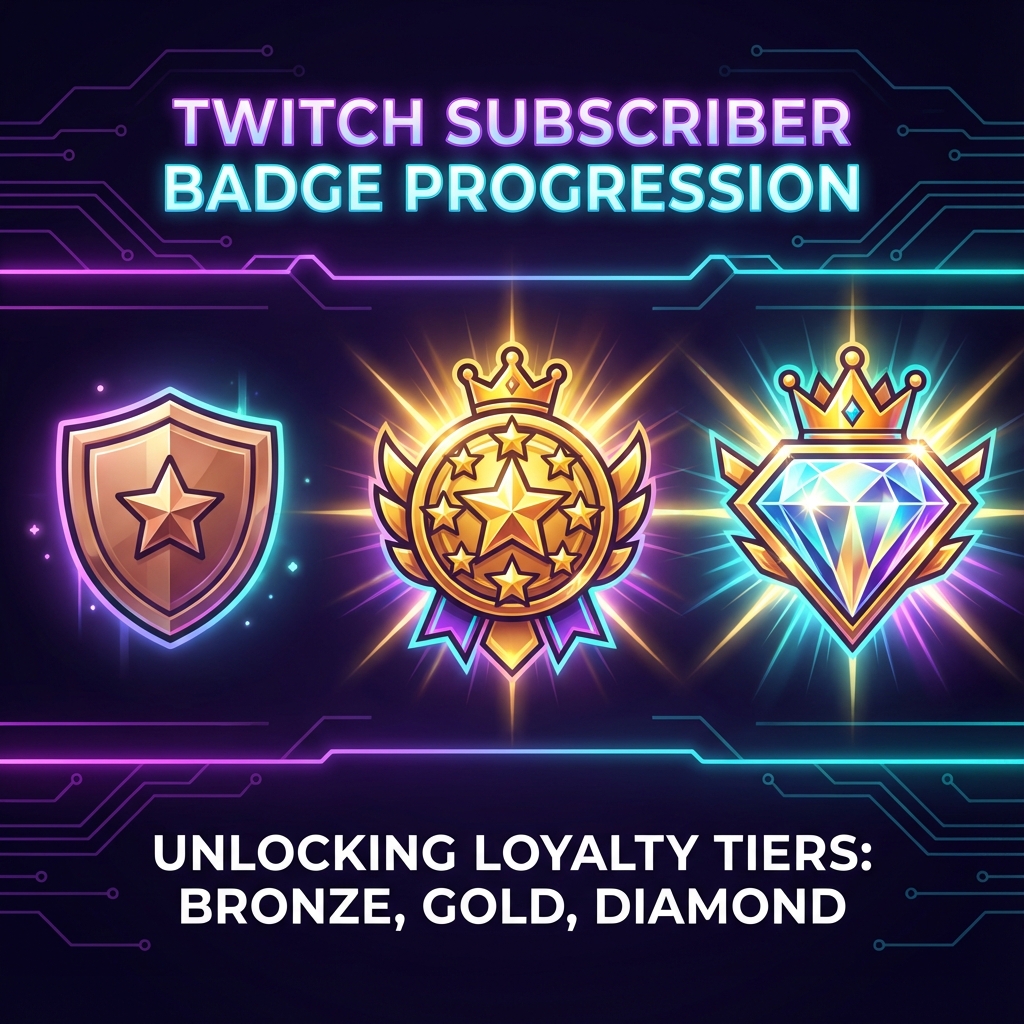
Subscriber badges are the quiet workhorse of Twitch loyalty. While emotes get all the attention, badges silently signal who's been supporting your channel—and for how long. Getting them right creates a visual reward system that keeps subscribers feeling valued month after month.
Unlike emotes, badges are always visible next to a subscriber's name in chat. That permanence makes thoughtful badge design even more important. Here's everything you need to know about creating badges that work.
Twitch Sub Badge Size Requirements
Twitch requires three sizes for each subscriber badge, just like emotes:
| Size | Dimensions | Usage |
|---|---|---|
| Small | 18×18 pixels | Standard chat display |
| Medium | 36×36 pixels | Hover/tooltip display |
| Large | 72×72 pixels | High-DPI displays, previews |
File Requirements
- Format: PNG with transparency
- Max file size: 25 KB per badge
- Background: Transparent recommended
- Style: Square (1:1 aspect ratio)
Understanding Badge Tiers
Twitch automatically assigns badges based on subscription duration. The default tiers are:
- 0 months: First-time subscriber
- 2 months: Early loyalty
- 3 months: Established supporter
- 6 months: Half-year milestone
- 9 months: Approaching anniversary
- 1 year: Major milestone
- 2 years: Long-term supporter
- 3+ years: Veteran status
You can customize which months get unique badges, but most streamers focus on the major milestones.
Badge Design Strategies
Strategy 1: Progressive Evolution
Start with a simple base design and add elements as tenure increases:
- Month 0: Basic logo or symbol
- Month 3: Add a border or glow
- Month 6: Add a crown, star, or secondary element
- Month 12: Gold version or special treatment
- Year 2+: Elaborate design with multiple elements
This approach rewards longevity visually—veterans' badges stand out in chat immediately.
Strategy 2: Level-Up System
Treat badges like RPG levels with clear progression:
- Bronze → Silver → Gold → Platinum → Diamond
- Each tier has a distinct color but same base shape
- Easy for viewers to understand the hierarchy
Strategy 3: Narrative Journey
Tell a story through badge progression:
- A character that levels up over time
- A plant that grows from seed to flower
- A journey from novice to master
This approach is more creative but requires more design effort.
Design Best Practices
Keep It Simple at 18×18
Your badge will primarily display at 18×18 pixels. At this size, only the simplest shapes are readable. Test every design at actual size before finalizing.
Ensure Visual Distinction
Each tier should be instantly distinguishable from others. If badge 3 and badge 6 look similar in chat, the progression loses meaning.
Match Your Brand
Badges should feel like part of your channel's visual identity. Use your brand colors, tie into your emote style, and maintain consistency.
Test on Both Light and Dark Themes
Twitch has both light and dark modes. Your badges need to work on both backgrounds.
Use High Contrast
Badges appear in busy chat environments. Strong contrast and clear outlines help them remain visible.
Common Badge Design Mistakes
Too Much Detail
A detailed illustration that looks great at 72×72 becomes an unreadable blob at 18×18. Simplify ruthlessly.
Indistinguishable Tiers
If your 1-month and 6-month badges look too similar, subscribers don't feel rewarded for loyalty. Make progression obvious.
Ignoring the Small Size
Always design for 18×18 first, then scale up for the larger versions—not the other way around.
No Clear Hierarchy
Your longest subscribers should have badges that clearly stand out as "premium." If the 3-year badge doesn't look more impressive than the 1-month badge, something's wrong.
Badge Ideas by Channel Type
Gaming Channels
- Achievement emblems that upgrade
- Character classes (warrior → knight → champion)
- Ranks (private → general)
Art/Creative Channels
- Paint brushes with more colors over time
- Art supplies that accumulate
- Creative tools that evolve
Music Channels
- Musical notes that multiply
- Instruments that upgrade
- Record/gold record progression
Just Chatting/IRL
- Community-themed icons
- Inside joke references that build up
- Simple but elegant tier upgrades
Resizing Your Badges
Like emotes, badges need to be pixel-perfect at all three sizes. Create your design at a high resolution (at least 72×72), then carefully resize for the smaller versions.
While StreamEmote is optimized for emote sizes, badges follow the same principle: start large and scale down carefully, ensuring readability at the smallest size.
Final Thoughts
Subscriber badges are a long-term investment in your community. Well-designed badges create a visible loyalty ladder that motivates continued support. When a 2-year subscriber's badge makes them stand out in chat, that's recognition they earned—and it encourages others to stay subscribed too.
Take time to plan your badge progression. Think about what the 3-year badge will look like before designing the 1-month badge. Create a system that can grow with your community.
When your badge set is ready, pair it with matching emotes resized for every platform—a complete, cohesive channel identity.
About the Author
StreamEmote Team
Written by the StreamEmote Team — developers and content creators dedicated to helping streamers succeed. We've processed hundreds of thousands of emotes and share our expertise to help you create the best content for your channel.
Learn more about us →Ready to Resize Your Emotes?
Use our free tool to create perfectly sized emotes for Twitch, Kick, and Discord. No watermarks, no uploads—your images never leave your device.
Try the Emote Resizer →Related Articles
Complete Twitch Emote Size Guide for 2026: Everything Streamers Need to Know
Master Twitch emote requirements with our comprehensive 2026 guide. Learn exact pixel dimensions (28x28, 56x56, 112x112), file formats, optimization tips, and common mistakes to avoid.
How to Create Animated Twitch Emotes: The Complete 2026 Guide
Learn to create smooth, engaging animated Twitch emotes that meet all requirements. Covers GIF optimization, frame rates, file size tricks, and recommended software.