Complete Streamer Branding Guide: Building a Visual Identity That Stands Out
Build a cohesive streaming brand from scratch. Covers color palettes, typography, emote style, overlays, and creating a consistent visual identity across platforms.
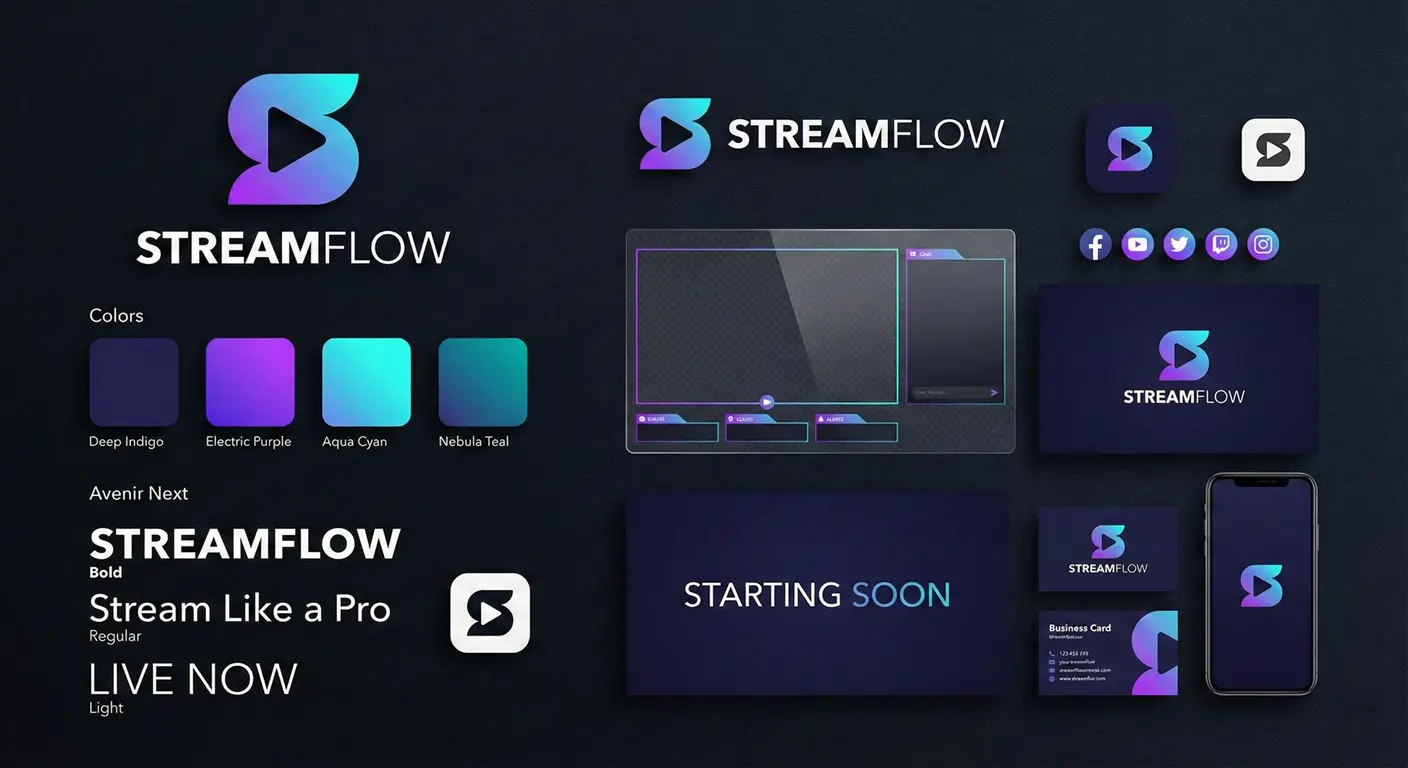
Thousands of new streamers go live every day. In that sea of content, branding is what makes you memorable. Not just a logo or color scheme—branding is the entire visual and emotional experience you create. And it matters more than most new streamers realize.
I've helped streamers at every level think through their branding, and the pattern is clear: channels with intentional, cohesive branding grow faster and build more loyal communities. Let's build yours from the ground up.
What Streaming Branding Actually Means
When I say "branding," I'm not just talking about graphics. Your streaming brand includes:
- Visual Identity: Colors, fonts, logos, overlays, emotes
- Tone and Personality: How you communicate, your vibe
- Consistency: The same experience across platforms
- Recognition: Elements that instantly say "this is YOU"
Think about channels you love. You can probably picture their colors, hear their alert sounds, visualize their emote style. That's branding at work.
Starting with Your Color Palette
Color is the most immediately recognizable brand element. Choose intentionally.
How to Choose Your Colors
- Primary Color: The main color that represents you. This appears in your logo, overlays, and dominant branding.
- Secondary Color: Complements your primary. Used for accents and variety.
- Accent Color: A pop color for highlights, alerts, and emphasis.
- Background Colors: Dark and light options for different contexts.
Color Harmony Rules
- Complementary: Colors opposite on the color wheel (high contrast)
- Analogous: Colors adjacent on the wheel (harmonious)
- Triadic: Three evenly spaced colors (vibrant)
Tools like Coolors.co and Adobe Color help generate palettes.
Practical Considerations
- Avoid pure white or black—they're harsh on screen
- Test colors on both dark and light backgrounds
- Consider colorblind accessibility
- Your colors should be visible on Twitch's purple interface
Typography: Fonts That Work
Your font choices communicate personality before anyone reads a word.
Font Categories for Streamers
- Sans-serif (modern, clean): Good for most streamers. Montserrat, Roboto, Open Sans.
- Display/Decorative (fun, unique): For logos and headers only. Bebas Neue, Bangers, Oswald.
- Gaming fonts: Specific styles for esports/gaming vibes. Impact, Agency FB.
Font Pairing Rules
- Use maximum 2-3 fonts in your entire brand
- Pair a display font with a readable sans-serif
- Maintain consistent weights (bold headings, regular body)
- Ensure readability at all sizes, especially for overlays
Creating a Logo That Works
Your logo appears everywhere: profile pictures, panels, overlays, social media. It needs to be versatile.
Logo Requirements
- Works at small sizes: Profile pictures are tiny
- Recognizable in monotone: Simple enough to be icon-adapted
- No complex gradients: These don't scale well
- Transparent background version: For overlay usage
Logo Variations You Need
- Full logo: Complete version with any wordmark
- Icon only: For profile pictures and small spaces
- Light version: For dark backgrounds
- Dark version: For light backgrounds
Emotes as Brand Extension
Your emote design should extend your brand visually:
- Use your brand colors consistently
- Maintain a consistent art style across all emotes
- If featuring a character, keep proportions and style consistent
- Outline colors and weights should match across emotes
Our emote resizer ensures your emotes meet technical requirements while preserving the quality of your brand design.
Overlays and Stream Graphics
Every element viewers see on your stream should feel cohesive:
Essential Stream Graphics
- Overlays: Starting soon, BRB, ending screens
- Alerts: Follower, sub, donation, raid notifications
- Panels: About, schedule, social media, rules
- Camera frame: Border around your webcam
Design Consistency Tips
- Same color palette everywhere
- Same fonts throughout
- Similar design elements (shapes, borders, shadows)
- Logo placement in consistent locations
Cross-Platform Consistency
Your brand extends beyond Twitch:
- Twitter/X: Profile picture, banner, color theme
- Discord: Server icon, role colors, emojis matching Twitch emotes
- YouTube: Channel art, thumbnails, end screens
- TikTok/Instagram: Profile, story highlights, content styling
When someone finds you on any platform, they should immediately recognize your brand.
Common Branding Mistakes
Mistake #1: Too Complex
Simpler brands are more memorable and more versatile. If your logo needs explanation, simplify it.
Mistake #2: Following Trends Too Hard
Trends fade. Build a foundation that's timeless, add trendy elements temporarily.
Mistake #3: Inconsistency
Using slightly different colors or fonts across platforms creates cognitive friction. Document your brand and stick to it.
Mistake #4: Ignoring Accessibility
Low contrast text, tiny fonts, colors that blend together—these hurt viewer experience.
Building a Brand Guide
Document your brand decisions in a simple guide:
- Color codes (HEX, RGB)
- Font names and where to use each
- Logo files and usage rules
- Examples of correct vs. incorrect usage
This helps maintain consistency, especially if you work with artists or designers.
Final Thoughts
Your brand evolves with you—that's okay. What matters is being intentional about your choices and maintaining consistency as you grow. The streamers who invest in their brand early stand out in an increasingly crowded space.
Start with your core: colors, fonts, and a simple logo. Build from there. Every piece of content you create reinforces your brand in viewers' minds.
About the Author
StreamEmote Team
Written by the StreamEmote Team — developers and content creators dedicated to helping streamers succeed. We've processed hundreds of thousands of emotes and share our expertise to help you create the best content for your channel.
Learn more about us →Ready to Resize Your Emotes?
Use our free tool to create perfectly sized emotes for Twitch, Kick, and Discord. No watermarks, no uploads—your images never leave your device.
Try the Emote Resizer →Related Articles
Complete Twitch Emote Size Guide for 2026: Everything Streamers Need to Know
Master Twitch emote requirements with our comprehensive 2026 guide. Learn exact pixel dimensions (28x28, 56x56, 112x112), file formats, optimization tips, and common mistakes to avoid.
How to Create Animated Twitch Emotes: The Complete 2026 Guide
Learn to create smooth, engaging animated Twitch emotes that meet all requirements. Covers GIF optimization, frame rates, file size tricks, and recommended software.